Kaspersky has released the latest insisted that Kaspersky Anti-Virus 2010 and Kaspersky Internet Security 2010. Kaspersky as one Anti Virus program is now more convincing and well-known toughness to protect our computers.
As we know with the Kaspersky blacklist would make no original key. For that here I will share how to avoid it. This method does not require a long time. But if you want, temen-temen can provide fried banana and a cup of coffee to accompany’ll be more comfortable ...
If you not want to bother with keys always blacklisted, then there is no harm in trying this way. This way I have proved and successful. for start please follow the tutorial below.
Instructions:
As we know with the Kaspersky blacklist would make no original key. For that here I will share how to avoid it. This method does not require a long time. But if you want, temen-temen can provide fried banana and a cup of coffee to accompany’ll be more comfortable ...
If you not want to bother with keys always blacklisted, then there is no harm in trying this way. This way I have proved and successful. for start please follow the tutorial below.
Instructions:
- Make sure you have installed KIS / KAV 2010
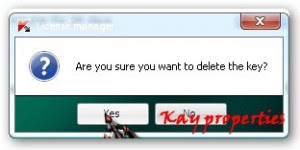
- If the key KIS blacklisted then delete the key, select YES

- After that will appear the windows activation wizard, click cancel.
- Choose a setting, then select "Options" and then unchek "enable self defense", then OK

- The next step exit Kaspersky from the taskbar.
- Open run, type "regedit"
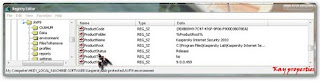
- Then navigate to HKEY_LOCAL_MACHINE ’ SOFTWARE ’ KasperskyLab ’ protected ’ AVP9 ’ environment
- Find product status.

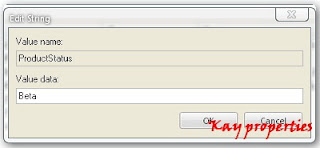
- Click 2x on the product and change the status manjadi Beta Release, then select OK

- Exit the registry
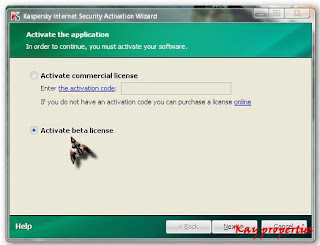
- Activate Kaspersky, it will appear the windows activation

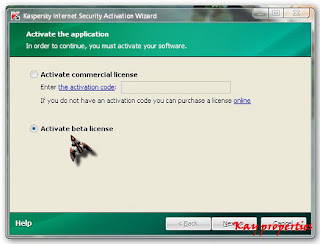
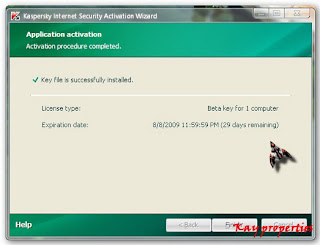
- Choose Activate beta license (To do this, make sure your computer is connected to the Internet), click next.
- And this can be done repeatedly. If the key is up, then the steps above can be done again, and you will get a new key again

- Switch back to Enable self defense.
- Finish


